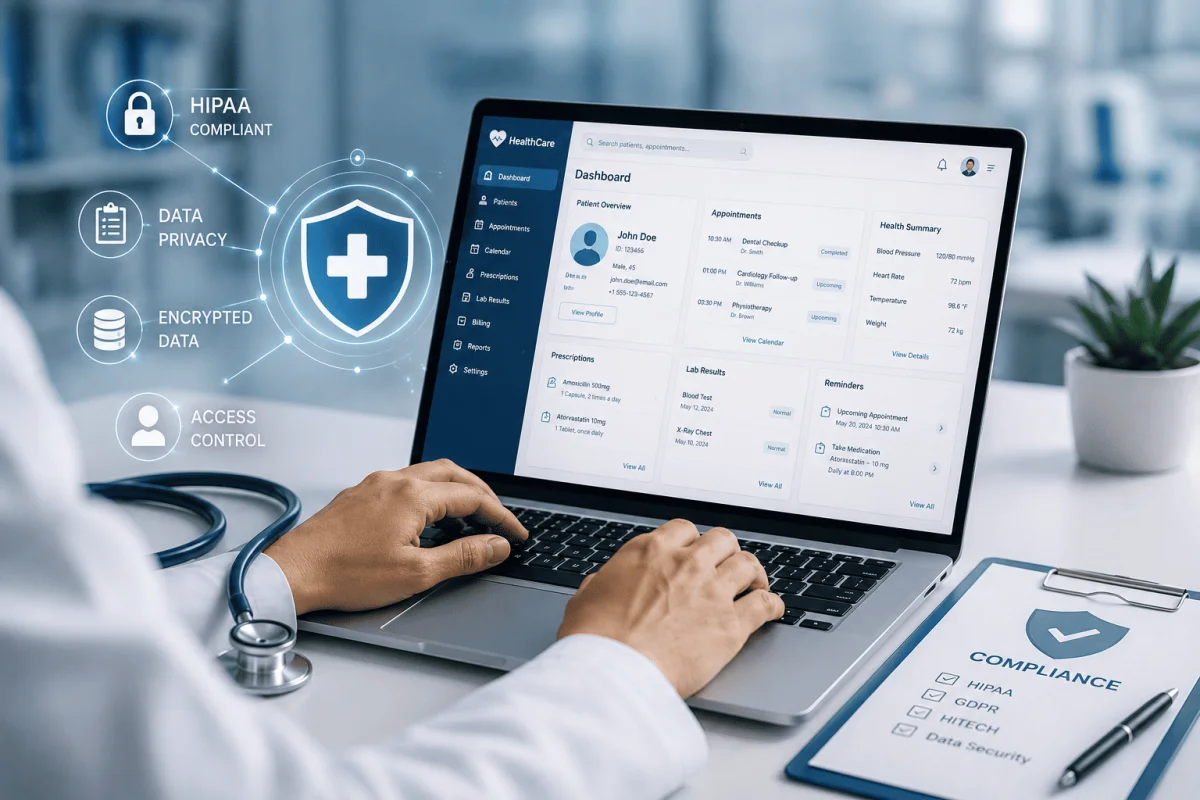
Healthcare software handles the most sensitive information people have: diagnoses, prescriptions, test results, insurance details and payment records. For clinics, diagnostic centres and hospitals in India, a data leak or a lost record is not just an IT problem; it damages patient trust and can create legal exposure. At the same time, rules are evolving quickly, with the Digital Personal Data Protection Act and the Ayushman Bharat Digital Mission (ABDM) changing what good practice looks like. This guide explains how to build or choose healthcare software with compliance in mind from day one, with practical patterns for patient data security, audit trails and role-based access.
The Indian regulatory landscape in brief
This is a general overview, not legal advice. Healthcare organisations should confirm their obligations with a qualified advisor.
- Digital Personal Data Protection Act, 2023 (DPDP): sets rules for collecting and processing personal data, including consent, purpose limitation, security safeguards and breach notification.
- Information Technology Act and related rules: cover reasonable security practices for sensitive personal data, including health information.
- ABDM: the national digital health framework, including ABHA health IDs and standards for health records exchange. Facilities and software that want to participate need to follow its integration and certification requirements.
- Clinical and medical records guidance: professional and state guidance on how long medical records should be kept and how they are handled.
- Insurance and government schemes: empanelled hospitals must meet documentation and claim requirements of insurers and public schemes.
Principle 1: collect only what you need, with consent
Design registration and intake forms to collect the minimum data needed for care and billing. Record consent clearly, explain why data is collected, and let patients see and correct their details. Avoid collecting Aadhaar numbers unless there is a specific, lawful reason, and mask identifiers wherever they are displayed.
Principle 2: role-based access control
Not everyone in a hospital needs to see everything. A good system defines roles and permissions carefully:
| Role | Typical access |
|---|---|
| Front desk | Registration, appointments, basic demographics |
| Doctor | Full clinical record of their patients, prescriptions, orders |
| Nurse | Vitals, medication administration, care notes for assigned wards |
| Lab and radiology | Test orders and results entry |
| Pharmacy | Prescriptions and dispensing, not full clinical notes |
| Billing and TPA desk | Charges, packages, insurance documents |
| Administrator | User management and settings, ideally not clinical data |
Apply the "least privilege" rule: give each role only what it needs, review access every quarter, and remove accounts immediately when staff leave.
Break-glass access
In emergencies, a clinician may need to view a record outside their normal access. Allow this through a "break-glass" option that requires a reason and is automatically flagged for review.
Principle 3: audit trails for everything that matters
An audit trail records who viewed, created, edited or deleted a record, and when. In healthcare software it should cover:
- Viewing and editing of clinical records.
- Changes to prescriptions, results and discharge summaries.
- Billing adjustments, discounts and refunds.
- User logins, failed attempts and permission changes.
- Data exports and printouts.
Audit logs should be tamper-resistant, kept for a defined period, and searchable so an administrator can answer "who opened this record?" in minutes.
Never silently overwrite clinical data
Clinical entries should be amended, not replaced. Keep the original entry, the change, the reason and the user who made it.
Principle 4: protect data in storage and in transit
- Use HTTPS everywhere, including internal systems and mobile apps.
- Encrypt databases and backups, and protect encryption keys separately.
- Store files such as scans and reports in secure storage, not open folders.
- Host in reputable data centres, and know where your data physically resides.
- Use strong passwords, two-factor authentication for admin and remote users, and automatic session timeouts on shared ward computers.
Principle 5: backups, availability and recovery
A hospital cannot pause because a server is down. Plan for daily automated backups, at least one copy stored in a separate location, regular restore tests, and a documented downtime procedure so staff can continue with paper forms and enter data later. Monitor uptime and set alerts so problems are fixed before patients notice.
Principle 6: breach readiness
The DPDP framework expects organisations to report personal data breaches. Prepare a simple incident response plan: who investigates, who decides on notification, how affected patients are informed, and how the root cause is fixed. Run a short drill once a year.
Building compliance into the development process
During design
Map every type of data the system will hold, who needs it and why. Plan consent screens, masking and role definitions in the UI/UX design stage, not after launch.
During development
Follow secure coding practices, validate all input, avoid storing sensitive data in logs, and use well-maintained libraries. Review code for security issues before every release.
Before go-live
Run a vulnerability assessment or penetration test, check every role's access, and verify backups and restore.
After launch
Apply security patches promptly, review audit logs, and re-test after major changes. Our guide on why regular security updates matter explains why this ongoing work is essential.
Compliance checklist for clinics and hospitals
- Data inventory and purpose documented.
- Consent captured and stored with patient records.
- Roles and permissions defined and reviewed quarterly.
- Audit trails enabled for clinical, billing and admin actions.
- Encryption in transit and at rest.
- Daily backups with tested restores.
- Incident response plan written and rehearsed.
- Vendor contract covers data protection, support and data return.
Our hospital management system is designed with role-based access, audit trails and secure hosting for clinics and hospitals in Odisha and across India. If you need a custom clinical or diagnostic workflow, our custom software development team can build it with these controls, or you can contact us for a review of your current system.
Vendor due diligence
When choosing a healthcare software vendor, ask for their security practices in writing, where data is hosted, how quickly security patches are applied, and how your data will be returned if the contract ends.
Frequently Asked Questions
Does the DPDP Act apply to small clinics?
The Act applies broadly to organisations that process digital personal data, and health data is among the most sensitive. Small clinics should still follow consent, security and breach-handling practices; confirm specific obligations with an advisor.
What is an audit trail in hospital software?
It is a record of who viewed, created, changed or deleted data, and when. It helps investigate errors, deter misuse and demonstrate accountability.
Do we need ABDM integration?
It depends on whether you want to link records to ABHA IDs, share records digitally or join government digital health programmes. Many hospitals are adopting it gradually.
Is cloud hosting safe for patient data?
Yes, when done properly with reputable providers, encryption, access controls and backups. Know where your data is stored and who can access it.

Written by Deepankar Saha
Deepankar Saha has 16+ years of experience in software development and entrepreneurship. He leads Utility Cube Technologies, working with founders and operations teams to plan, build, and grow websites, applications, and business software they can run with confidence.