Launching a website or web application is the start, not the finish. After launch, things change constantly: new images are uploaded, plugins are added, traffic grows, a third-party script slows down, or a server runs out of memory at peak time. Without monitoring, the first sign of trouble is usually a customer calling to say the site is down or "very slow". This guide explains how to monitor uptime and Core Web Vitals after launch, which tools to use, and a simple routine that helps businesses in India catch slowdowns and outages before they affect customers or search rankings.
Why post-launch monitoring matters
- Revenue and leads: slow or unavailable pages lose enquiries and sales.
- Search rankings: Google uses page experience signals, including Core Web Vitals, as part of its ranking systems.
- Mobile users: most Indian visitors browse on mid-range Android phones over mobile data, so performance problems hit them hardest.
- Early warning: monitoring spots expiring SSL certificates, failing servers and broken forms before customers do.
Core Web Vitals explained simply
| Metric | What it measures | Good threshold |
|---|---|---|
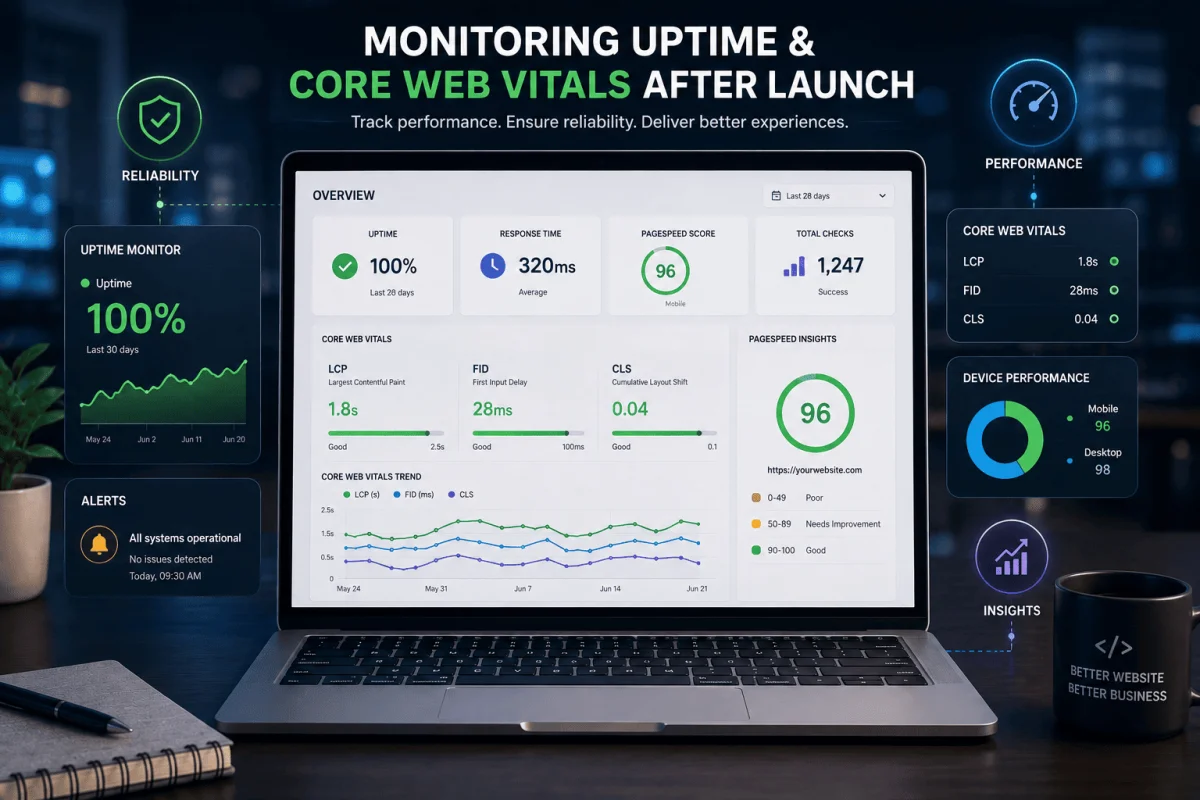
| Largest Contentful Paint (LCP) | How quickly the main content appears | 2.5 seconds or less |
| Interaction to Next Paint (INP) | How quickly the page responds to taps and clicks | 200 milliseconds or less |
| Cumulative Layout Shift (CLS) | How much the layout jumps while loading | 0.1 or less |
Google assesses these at the 75th percentile of real visits, so a page needs to be fast for most users, not just on your office broadband.
Field data vs lab data
Field data comes from real users, for example through the Chrome User Experience Report, shown in Google Search Console and PageSpeed Insights. It reflects real devices and networks but needs enough traffic. Lab data comes from tests such as Lighthouse, run under controlled conditions. It is useful for debugging and testing changes before release. Use both: field data tells you whether there is a problem; lab data helps you find the cause.
Tools for monitoring
Core Web Vitals and performance
- Google Search Console: the Core Web Vitals report groups URLs as good, needs improvement or poor.
- PageSpeed Insights: field and lab data for any page.
- Lighthouse in Chrome DevTools: detailed lab audits and suggestions.
- Real user monitoring (RUM): scripts such as the web-vitals library, or analytics and monitoring platforms, record metrics from every visit.
Uptime and errors
- Uptime monitors: check your site every minute or few minutes from different locations and alert you by email, SMS or messaging app.
- SSL and domain expiry alerts: warn you weeks before a certificate or domain lapses.
- Error tracking: tools such as Sentry capture JavaScript and server errors with details for developers.
- Server monitoring: CPU, memory, disk and database health from your host or cloud provider.
What to monitor: a practical list
- Home page, top service pages and key landing pages.
- Contact, quote and checkout forms (test that submissions actually arrive).
- Login pages and dashboards for web applications.
- APIs that mobile apps depend on.
- Response time from India, and from other regions if you serve them.
Common causes of slowdowns after launch
- Large, uncompressed images uploaded by content editors.
- New plugins, chat widgets, trackers or ad scripts.
- Fonts and videos loaded without optimisation.
- Growing databases without indexes or caching.
- Shared hosting reaching its limits as traffic grows.
- Banners or embeds that load late and push content down, hurting CLS.
Quick fixes that usually help
- Serve images in WebP or AVIF, at the right size, with width and height set.
- Lazy-load images below the fold, but not the main hero image.
- Use a CDN and browser caching for static files.
- Defer non-essential JavaScript and remove unused scripts.
- Enable server-side caching and keep PHP or Node versions current.
- Reserve space for banners, ads and embeds.
A simple monitoring routine
Always on
Uptime checks every one to five minutes, SSL and domain expiry alerts, and error tracking with notifications to the right person.
Weekly
Review uptime reports and new errors. Run PageSpeed Insights on the home page and two key pages.
Monthly
Check the Core Web Vitals report in Search Console, review the slowest pages, and plan fixes. Compare against last month.
Before every release
Run Lighthouse on changed pages and test on a mid-range Android phone over mobile data.
Setting performance budgets
A performance budget is a limit your team agrees not to exceed, such as "LCP under 2.5 seconds on mobile" or "home page under 1.5 MB". Budgets turn performance from a one-time project into an ongoing habit, and make it easier to say no to a heavy new widget.
Who should own monitoring?
Someone must receive alerts and act on them. For many small and mid-sized businesses, this is part of an annual maintenance contract with their development partner. Make sure the contract specifies response times for outages. Our guide on choosing the right AMC for your web application covers what to include.
Our website maintenance and monitoring services include uptime checks, performance reviews and fixes, and our web application development team builds with performance in mind from the start. Contact us for a performance check.
Alerting without alert fatigue
Monitoring only helps if alerts reach someone who acts on them. Send critical alerts, such as the site being down or checkout failing, to a phone number or messaging channel that is watched during business hours and, for critical systems, after hours. Send lower-priority warnings, such as a slow page or a minor error spike, to email or a weekly report. Avoid alerting on every small fluctuation; if people start ignoring alerts, the system has failed. Review alert rules every few months and remove noisy ones.
A simple escalation chain
- First alert goes to the developer or support engineer on duty.
- If not acknowledged within a set time, it goes to the technical lead.
- For extended outages, the business owner is informed with a status update.
For businesses in Bhubaneswar and across Odisha whose customers mostly browse on mobile data, testing from Indian locations and on mid-range phones gives a far more realistic picture than testing from a fast office connection.
Frequently Asked Questions
Do Core Web Vitals affect Google rankings?
They are part of Google's page experience signals. Relevant, helpful content matters most, but poor performance can hold back otherwise good pages and hurts conversions.
Why does PageSpeed show different scores each time?
Lab tests vary with network and server conditions. Look at trends and field data over time rather than one test result.
How often should uptime be checked?
Every one to five minutes is typical for business websites, with alerts sent immediately when the site fails to respond.
What is a good LCP for mobile users in India?
Aim for 2.5 seconds or less for at least 75% of visits, tested on mid-range Android phones and typical mobile networks.

Written by Deepankar Saha
Deepankar Saha has 16+ years of experience in software development and entrepreneurship. He leads Utility Cube Technologies, working with founders and operations teams to plan, build, and grow websites, applications, and business software they can run with confidence.